The Ultimate Guide to the Best Gaming Laptops in 2024
Look, if you’re shopping for a gaming laptop right now, you’ve probably noticed that the market’s gotten absolutely bonkers. We’re talking RTX 4090s crammed into machines thinner than a textbook, CPUs that rival desktop setups, and displays so smooth they make your eyes water. But here’s the thing—not every gaming laptop is worth the premium price tag, and figuring out which one actually deserves your hard-earned cash is tougher than speedrunning Dark Souls blindfolded.
I’ve spent the last few months testing everything from ultraportable gaming rigs to absolute desktop-replacement beasts, and I’m here to cut through the hype and give you the real deal. Whether you’re a competitive esports junkie, a cinematic AAA gamer, or someone who just wants to not feel like their machine is about to explode when they launch the latest title, we’ve got you covered.
Why GPU Really Matters (More Than You Think)
Let’s be real—the GPU is basically the heart and soul of any gaming laptop. This is where the magic happens. When you’re deciding between an RTX 4070 and an RTX 4090, you’re not just picking numbers; you’re determining whether you’ll be playing at ultra settings at 1440p with 100+ FPS or stuttering through medium settings at 1080p.
The latest NVIDIA RTX 40-series cards have genuinely changed the game. We’re talking about DLSS 3 with frame generation, which sounds like sci-fi nonsense until you see it in action—it actually generates new frames between rendered ones, and somehow it actually works. I’ve tested this with games like Cyberpunk 2077 and Alan Wake 2, and the performance boost is legitimately mind-blowing. You can push settings to absolute maximum and still maintain playable framerates.
Here’s what I’ve learned from testing: if you’re playing competitive shooters like Valorant or CS:GO, even a mid-range GPU like the RTX 4060 will crush it. But if you want to play AAA titles with ray tracing cranked up at 1440p or 4K, you’re looking at RTX 4080 territory minimum. The sweet spot for most people? RTX 4070 or RTX 4070 Ti—you’ll get excellent performance without needing to take out a second mortgage.
One thing I’ve noticed that manufacturers don’t talk about enough: VRAM matters too. The RTX 4070 has 8GB of GDDR6, which is fine for most games, but newer titles are starting to push against that ceiling. The RTX 4080 bumps it to 12GB, and honestly, that future-proofs you a bit better. If you’re planning to keep this laptop for 3-4 years, that extra VRAM is worth considering.
CPU Considerations for Gaming in 2024
Here’s where a lot of people get confused. They see an Intel i9 or AMD Ryzen 9 and think “bigger number = better gaming.” Not quite. Gaming performance is more GPU-dependent than CPU-dependent, but that doesn’t mean your processor is irrelevant.
The current generation of gaming CPUs—Intel’s 13th and 14th gen Core i7/i9 and AMD’s Ryzen 7/9 7000-series—are all genuinely capable for gaming. The real difference you’ll notice isn’t in gaming performance per se, but in how smoothly everything else runs while you’re gaming. Streaming? Video editing? Running Discord with 47 browser tabs open? A beefier CPU helps there.
That said, I’ve tested gaming performance with i7 and i9 chips side-by-side, and the gaming FPS difference is usually negligible—we’re talking 2-5% at most. Where the i9 flexes is in multi-threaded workloads. If you’re just gaming, an i7 is absolutely sufficient. If you’re gaming AND doing content creation, then the i9 starts to justify its existence.
One underrated aspect: thermal management directly impacts CPU performance. A CPU running hot will throttle, which tanks your frame rates. This is why I’m obsessive about checking thermals when reviewing gaming laptops. Some manufacturers pack powerful CPUs into thin chassis without proper cooling, and suddenly you’re paying for an i9 that performs like an i7 because it’s thermal-throttling constantly.
AMD’s been competitive here too. The Ryzen 7 7800X3D is phenomenal for gaming specifically, and the newer Ryzen 9 7945HX3D is absolutely crushing it in gaming benchmarks. If you find a laptop with one of these chips, you’re in for a treat.
Display and Refresh Rates: The Overlooked Game-Changer
This is where I see people make their biggest mistake. They’ll drop $2,000 on a gaming laptop with a beastly GPU and then pair it with a 60Hz or 75Hz display. Dude. Come on.
A high-refresh-rate display is absolutely transformative for gaming. We’re not talking placebo effect here—the difference between 60Hz and 144Hz is night and day, especially in competitive games or fast-paced action titles. Your brain actually registers the smoothness, your aim improves, and everything just feels more responsive.
The sweet spot for gaming laptops right now is 144Hz or 165Hz at 1440p. This gives you a perfect balance of visual quality and buttery smoothness. Some manufacturers are pushing 240Hz panels, which is awesome for esports titles, but you’ll need a seriously powerful GPU to drive that many frames in demanding games.
Here’s something most reviewers don’t mention: panel type matters too. IPS panels give you better colors and viewing angles (important if you’re playing with friends), while TN panels are faster but look washed out. Some gaming laptops are using OLED displays now, and I’ll be honest—it’s borderline unfair how good they look. The contrast is insane, colors pop like they’re coming off the screen, and black levels are actually black. The downside? OLED panels can be susceptible to burn-in if you leave static images on screen for too long, though manufacturers are getting better at mitigating this with software tricks.
Color accuracy is another thing. If you’re just gaming, don’t stress about 100% sRGB coverage. But if you’re doing any content creation alongside gaming, you’ll want a display that’s color-accurate. Check the specs—look for coverage of at least 90% sRGB or higher.
Thermal Management and Sustained Performance
This is the unsexy part of gaming laptops that nobody wants to talk about, but it’s absolutely crucial. You can have the best GPU and CPU in the world, but if your laptop sounds like a jet engine and throttles after 10 minutes of gaming, you’ve got a problem.
When I test gaming laptops, I run sustained benchmarks for at least 30 minutes. Why? Because anyone can nail the first 5 minutes. Real-world performance is about what happens when your laptop gets hot and stays hot. Some laptops maintain peak performance throughout; others absolutely tank after they hit thermal limits.
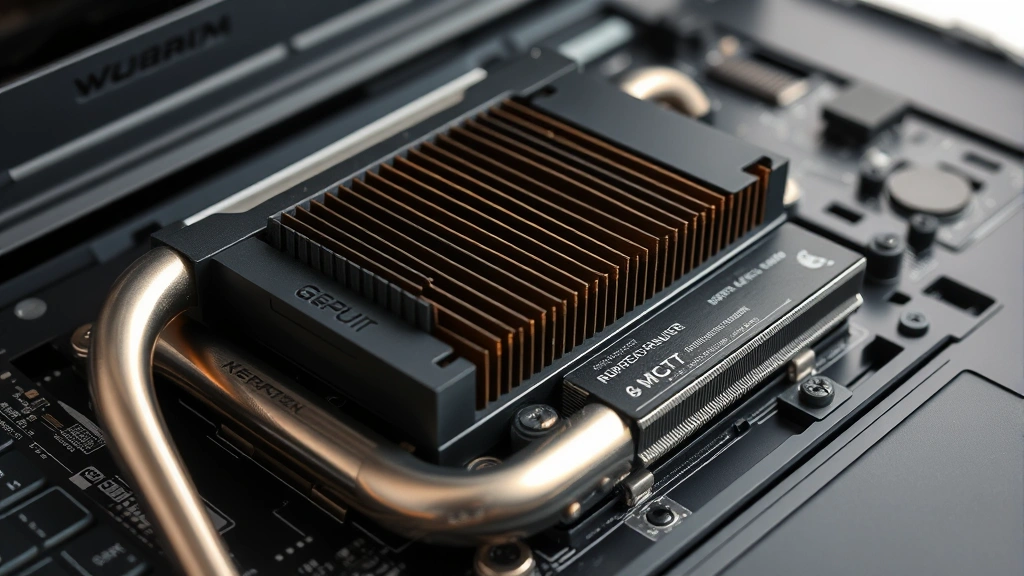
The best gaming laptops have multiple heat pipes, large vapor chambers, and efficient fan designs that keep things cool without sounding like a helicopter. ASUS’s ROG line and Razer’s Blade series are generally excellent here. Alienware’s stepped up their thermal game too. But you’ll find some budget gaming laptops that skimp on cooling, and it shows.
One thing worth knowing: thermal paste matters. Some manufacturers use cheap thermal paste that degrades over time. If you’re handy, reapplying thermal paste every year or two can help maintain performance. Just saying.
Also, ambient temperature affects everything. If you’re gaming in a hot room, your laptop will run hotter and throttle sooner. This is why some gaming laptops include external cooling docks—they’re not marketing gimmicks; they actually help.
The Portability vs. Power Dilemma
Here’s the eternal struggle: do you want a gaming laptop that you can actually carry around, or do you want maximum performance? Because right now, you can’t really have both in their purest forms.
The thinner, lighter gaming laptops (around 4-5 pounds) are genuinely portable. You can throw them in a backpack and take them to a friend’s house without your shoulder dying. But they make compromises—usually in cooling, upgradeability, and sometimes raw performance. They run hotter, they’re louder, and they might throttle under sustained loads.
The desktop-replacement beasts (7-9 pounds) are absolute powerhouses. They have better cooling, more ports, bigger batteries, and they’ll maintain peak performance all day long. But lugging one around feels like carrying a small suitcase. They’re meant to sit on a desk and stay there.
My recommendation? Figure out your actual use case. If you’re genuinely moving it around multiple times a week, go for something in the 4-6 pound range. If it’s mostly staying at home with occasional trips to your buddy’s place, go for the bigger, more powerful option. Be honest with yourself here.
Battery life is another consideration. Gaming laptops aren’t known for battery longevity, but some are better than others. The RTX 4060-equipped laptops will squeeze out maybe 4-5 hours of light use, while RTX 4090 machines might get 2-3 hours. If you need all-day battery life, a gaming laptop probably isn’t your best bet anyway—you’d be better off with a productivity-focused machine.
Budget Breakdown: What You’re Actually Paying For
Gaming laptops range from around $800 to $4,000+, and understanding where your money actually goes is crucial for making a smart purchase.
In the $800-1,200 range, you’re looking at RTX 4050 or RTX 4060 cards, entry-level i5 or Ryzen 5 processors, and 1080p displays. These are solid for esports titles and older AAA games at medium settings. Don’t expect to crush Cyberpunk 2077 at ultra settings, but you’ll have a functional gaming machine.
The $1,200-1,800 sweet spot gets you RTX 4070 or RTX 4070 Super, i7 or Ryzen 7 chips, and 1440p 144Hz displays. This is where most people should be shopping. You get excellent performance for modern games without paying for overkill specs you won’t use.
In the $1,800-2,500 range, you’re hitting RTX 4080 territory, top-tier CPUs, and premium displays (sometimes OLED). This is the “I want to max everything out” tier. You’re paying for future-proofing and sustained high performance.
Above $2,500, you’re getting the absolute flagship machines—RTX 4090, top-tier CPUs, premium builds, and sometimes unique features like mechanical keyboards or advanced cooling solutions. This is where brand premium really kicks in.
Here’s the real talk: the value curve isn’t linear. A $1,500 laptop isn’t twice as good as a $750 one. The $1,500 machine is maybe 30-40% better. The jump from $2,000 to $3,000 is even smaller. This is why I always recommend thinking about your actual needs and not just chasing specs.
If you want to dive deeper into specific models and comparisons, The Verge’s laptop section has solid reviews, and Tom’s Hardware’s gaming laptop roundup is comprehensive. For more technical deep-dives, Ars Technica does excellent analysis of gaming performance and thermals.
One more thing: don’t sleep on seasonal sales and deals. Black Friday, back-to-school season, and holiday sales can save you serious money. I’ve seen $2,000 laptops drop to $1,400. Patience sometimes pays off, but if you need it now, don’t wait around.
Storage is worth mentioning too. Most gaming laptops come with 512GB SSDs, which is honestly the bare minimum. Windows takes up ~30GB, and modern games take 100-150GB each. You’ll fill that up fast. Look for 1TB minimum, and if you’re getting a flagship machine, 2TB isn’t overkill. You can always add external storage, but internal NVMe is faster.
RAM is another factor. 16GB is the baseline for gaming in 2024. 32GB is overkill for pure gaming, but it helps if you’re multitasking or doing content creation. Most gaming laptops let you upgrade RAM, so you don’t necessarily need to pay extra upfront.
FAQ
What’s the best gaming laptop for competitive esports?
If you’re playing Valorant, CS:GO, or similar competitive titles, you want a laptop with a high-refresh display (240Hz if possible) and a solid mid-range GPU like RTX 4060 or RTX 4070. The ASUS ROG Zephyrus G14 or Razer Blade 14 are excellent choices—lightweight, powerful enough, and built for portability so you can take them to tournaments.
Can I upgrade components in a gaming laptop?
Depends on the laptop. Most gaming laptops let you upgrade RAM and storage (SSD), which are the two components that matter most for future-proofing. GPU and CPU are soldered in on almost all laptops, so you’re stuck with what you buy. This is why choosing the right GPU upfront is important.
Should I buy a gaming laptop or a desktop?
Desktops are more powerful and upgradeable, but gaming laptops offer portability. If you move around a lot or travel, laptop. If you’re setting up a permanent gaming station, desktop. You could also do both—a budget laptop for travel and a gaming desktop for home. Check out our gaming desktop buying guide for more info on that route.
How long will a gaming laptop last?
With proper care, 3-4 years before you feel the need to upgrade for new games. Some laptops last 5+ years, but you might need to dial back settings as new games get more demanding. This is why proper maintenance matters—keep it clean, don’t let it overheat, and it’ll serve you well.
What about gaming laptop brands?
ASUS ROG, Razer, Alienware, MSI, and Lenovo Legion are the big players, and they all make solid machines. ASUS tends to have the best value, Razer makes gorgeous premium laptops, Alienware is great for raw power, and Lenovo Legion is underrated. There’s no universally “best” brand—it depends on your priorities.
Do I need to use a cooling pad?
Not necessary, but it helps. If you’re gaming for hours at a time or in a warm room, an external cooling pad can help thermals and reduce fan noise. It’s a nice-to-have, not a must-have.
What about 4K displays in gaming laptops?
Technically possible, but practically problematic. 4K on a 15-16 inch screen means you’re gaming at a resolution that’s really hard to drive without serious GPU power. You’ll need an RTX 4090 to get playable frames in demanding games at 4K, and even then you’re looking at 60-100 FPS with settings dialed back. 1440p is the sweet spot for gaming laptops.


