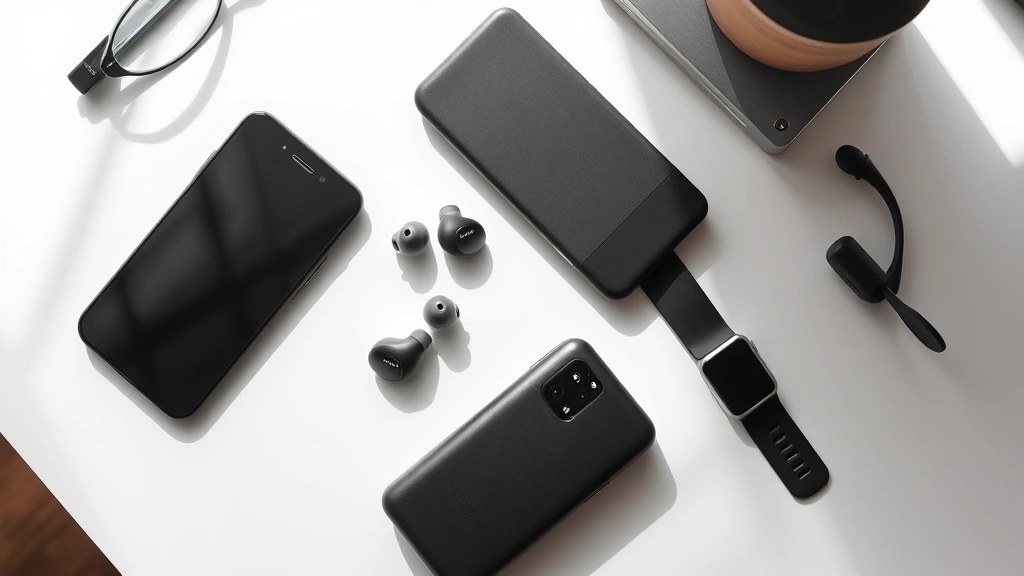
Listen, if you’ve been eyeing the latest tech releases and wondering whether your current setup is actually holding you back, you’re not alone. The gadget world moves fast—sometimes too fast—and it’s easy to feel like you need to upgrade everything yesterday. But here’s the thing: not every new release is worth the hype, and not every feature will actually improve your daily life. That’s what I’m here to help you figure out.
I’ve spent way too much time unboxing, testing, and comparing the latest tech gadgets, and I’ve learned that the best purchases are the ones that solve real problems. Whether you’re looking to boost your productivity, upgrade your entertainment setup, or just find that one device that’ll actually make your life easier, we’re going to dig into what’s actually worth your money and what’s just marketing noise.
So let’s cut through the hype together and figure out what you actually need.
Why Performance Actually Matters (And When It Doesn’t)
Here’s where a lot of people get caught up: they see a processor with a bigger number, more RAM, or faster speeds, and they immediately think they need it. The reality? It’s way more nuanced than that.
If you’re just browsing the web, checking email, and scrolling through social media, you honestly don’t need the absolute latest flagship processor. Mid-range chips these days are legitimately powerful enough to handle daily tasks without breaking a sweat. But if you’re doing video editing, running complex applications, gaming at high settings, or working with large datasets, performance becomes a real differentiator.
What I’ve noticed is that performance matters most when you’re pushing your device to its limits regularly. A content creator editing 4K video? Yeah, they’ll feel the difference between a standard processor and a high-end one. Someone checking Slack and writing emails? Not so much. The trick is being honest about what you actually do with your devices.
One thing that’s changed my perspective is understanding that performance isn’t just about raw numbers anymore. It’s about optimization. A well-optimized device with a mid-range processor can often feel snappier than a less-optimized device with a powerhouse chip. Software matters just as much as hardware. When you’re evaluating a new gadget, don’t just look at the specs—think about the actual user experience.
I’d recommend checking out AnandTech’s detailed processor benchmarks if you want to get into the nitty-gritty of performance comparisons. They break down real-world usage scenarios, which is way more helpful than just looking at clock speeds.
Building Your Tech Ecosystem
This is something I’ve become increasingly passionate about: your gadgets should work together, not against each other. A single great device in isolation is cool, but a ecosystem of devices that actually talk to each other? That’s where the magic happens.
If you’re already invested in one ecosystem—whether that’s Apple, Google, or Microsoft—there’s a real benefit to sticking with it. The seamless handoff between devices, the shared cloud storage, the automatic syncing—it all adds up to a smoother experience. I’m not saying you have to be locked into one ecosystem forever, but the switching costs are real, and they’re worth considering.
The ecosystem question is especially important when you’re thinking about connectivity and future-proofing because different platforms handle wireless connectivity, cloud services, and device communication differently. If you’re considering a new smartphone, think about what other devices you use regularly. Does it make sense to add another device to your current setup, or would switching to a different ecosystem actually serve you better?
I’ve seen people buy amazing individual devices that just don’t work well with their existing setup, and it’s frustrating. A great smartwatch means nothing if it doesn’t work with your phone. A portable speaker is less useful if it doesn’t integrate with your home setup. When you’re shopping, ask yourself: will this device actually enhance my existing setup, or will it create friction?
The Battery Life Reality Check
Battery life claims are often fiction. Or at least, they’re fiction under circumstances that don’t match your real life. A manufacturer will test battery life under specific conditions—like minimal brightness, light usage, or connected to WiFi only—and then slap those numbers on the box. Your actual experience will be different.
What I’ve learned is that battery life matters way more than most people think when they’re buying a device. It’s not just about the raw hours; it’s about whether you actually have to think about charging. If a device makes it through your full day without you needing to find a charger, it’s doing its job. If you’re constantly hunting for power, it doesn’t matter how good everything else is.
The honest truth is that battery technology hasn’t evolved as quickly as processing power. We can pack way more performance into a device, but the battery often doesn’t keep up. That’s why you’re seeing bigger devices, thicker phones, and more attention to power efficiency in software.
When you’re evaluating battery life, look at real-world reviews from people actually using the device in their daily lives. Tech sites like The Verge do good battery testing, but also check user reviews to see what people are actually experiencing. And here’s a pro tip: if a device has fast charging, that changes the game a bit. If you can get a full charge in 30 minutes, you’re less stressed about battery percentage throughout the day.
Also consider your charging habits. If you’re always near power (desk job, car charger, etc.), battery life matters less. If you’re constantly on the move without access to power, it becomes critical.
Display Quality: More Than Just Specs
This is where specs become almost meaningless. A manufacturer can tell you a display has a high refresh rate, high resolution, and amazing color accuracy, but none of that matters if it doesn’t look good to your eyes.
Here’s what actually matters: brightness (can you see it in sunlight?), color accuracy (does it look natural or oversaturated?), refresh rate (does scrolling feel smooth?), and viewing angles (can you see it from the side without the colors shifting?). The resolution matters less than you’d think, especially on smaller screens. There’s a point where increasing pixels doesn’t make anything look sharper to the human eye—it just drains battery faster.
I’ve been genuinely impressed by some mid-range displays recently because they’ve gotten the fundamentals right. Bright enough, colors look good, smooth scrolling. Meanwhile, some flagship displays are technically impressive but look oversaturated and unnatural because manufacturers are chasing numbers instead of actual visual quality.
If you’re going to be staring at a display all day—whether it’s a phone, laptop, or monitor—this matters for your health too. A good display reduces eye strain. A bad one will leave you exhausted by the end of the day.
Connectivity and Future-Proofing
WiFi 6, 5G, Bluetooth 5.3—there’s always a new connectivity standard coming out. The question is: does it actually matter for what you’re doing?
Here’s my honest take: WiFi 6 is genuinely useful if you have multiple devices connecting at once or if you’re doing heavy data transfers. 5G is still rolling out and the speeds aren’t universally faster than good 4G LTE in many areas. Bluetooth improvements are incremental but add up over time.
What matters more is whether your device will be compatible with the networks and standards that’ll be common in a few years. This is where future-proofing comes in. If you’re buying a device, make sure it supports the latest standards, even if you don’t need them right now. Technology moves fast, and you don’t want your device to feel outdated in two years because it’s missing support for a standard that became standard.
I’d also think about ports and charging. USB-C is becoming universal, which is great. Wireless charging is convenient but not essential. What matters is that you can actually charge and transfer data without proprietary cables.
For more technical details on wireless standards, Ars Technica’s networking coverage is thorough and understandable even if you’re not a networking expert.
Getting Real About Value
The most expensive option isn’t always the best, and the cheapest option definitely isn’t. Value is about getting the features you actually need at a price you can justify.
This is where I think a lot of people make mistakes. They either chase the latest flagship because they think they need everything it offers, or they cheap out and buy something that frustrates them every day because it’s missing key features. The sweet spot is usually in the middle.
When you’re evaluating value, think about your actual use case. What are the three features that matter most to you? Are you paying for features you’ll never use? Will this device still feel good to use in two years, or will it feel outdated?
Price drops matter too. Most gadgets get cheaper within a few months of release. Unless you absolutely need the latest version immediately, waiting can save you serious money. I’ve seen flagship devices drop 20-30% in price within six months.
One thing I always recommend is checking Wirecutter’s detailed reviews and buying guides. They actually test products long-term and focus on real-world value rather than just specs. Their methodology is solid and their recommendations are usually spot-on.

FAQ
Should I upgrade to the latest model every year?
Absolutely not. Yearly upgrades are usually incremental improvements. Unless you’re a professional who needs cutting-edge tools or your current device is actually broken, waiting 2-3 years between upgrades makes way more sense financially and environmentally.
How do I know if a tech purchase is actually worth it?
Ask yourself three questions: Does it solve a real problem I have? Will I actually use all the features I’m paying for? Will it still feel good to use in two years? If you can’t answer yes to all three, it’s probably not worth it.
What’s the most important spec I should focus on?
It depends on what you’re buying, but generally: processor matters for performance, battery matters for daily usability, and display matters for user experience. Don’t get caught up in specs you don’t understand or won’t benefit from.
Is it worth paying more for brand name recognition?
Sometimes. Established brands usually have better customer support, longer software updates, and more reliable hardware. But there are plenty of lesser-known brands making solid products. Do your research beyond just the name.
How long should a gadget last before it’s worth replacing?
If it’s still doing what you need it to do, keep using it. Technology doesn’t expire. A device that’s three years old is perfectly fine if it meets your needs. Replace it when it becomes frustrating to use or when you need features it doesn’t have.


