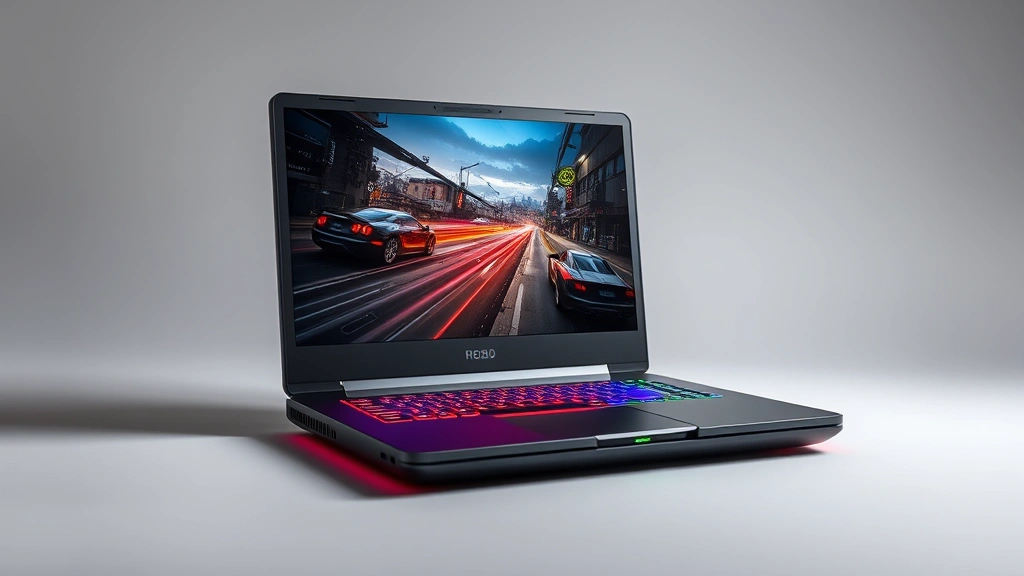
The Ultimate Guide to Gaming Laptops in 2024: Performance, Portability, and Price
Let’s be real—finding the perfect gaming laptop is like trying to find the perfect pair of shoes. You want something that looks good, feels great, performs flawlessly, and doesn’t cost you an arm and a leg. The gaming laptop market’s gotten wild lately, with options ranging from budget-friendly performers to absolute beasts that rival desktop gaming rigs. Whether you’re a competitive esports player chasing 144+ fps or a casual gamer who wants to play the latest AAA titles without compromise, there’s genuinely something for everyone right now.
The tricky part? Knowing what actually matters and what’s just marketing fluff. That’s where I come in. I’ve spent way too much time researching specs, reading reviews, and thinking about thermal management (yes, that’s a real thing) so you don’t have to. This guide breaks down everything you need to know about gaming laptops—from GPU and CPU combos to battery life and cooling solutions—and helps you make an informed decision without getting lost in the technical weeds.
Why GPU and CPU Selection Really Matters
Here’s the thing about gaming laptops—the GPU (graphics processing unit) is your bread and butter. It’s what actually renders those gorgeous frames you’re staring at. Right now, you’ve got two main camps: NVIDIA and AMD. NVIDIA’s been dominating with their RTX series (RTX 4090, RTX 4080, RTX 4070, etc.), while AMD’s pushing hard with their RDNA architecture. For gaming, NVIDIA still has the edge because of DLSS technology, which basically lets you crank up graphics settings without tanking your frame rates. It’s genuinely game-changing—pun intended.
The CPU matters too, but here’s where people often get confused. Your processor handles physics, AI, and game logic, while your GPU handles the visuals. You don’t need the absolute top-tier CPU to game well, but pairing a weak processor with a powerful GPU is like putting a four-cylinder engine in a sports car—you’re leaving performance on the table. Right now, Intel’s 13th and 14th gen chips and AMD’s Ryzen 7000 series offer solid gaming performance. The sweet spot for gaming is usually a mid-to-high-end CPU paired with a good GPU, not the other way around.
When you’re evaluating laptops, don’t just look at the number. A RTX 4070 will game differently in a thin-and-light chassis versus a beefier machine with better cooling. Thermals kill performance—if your laptop’s throttling because it’s overheating, that fancy GPU becomes mediocre. This is why understanding the whole package matters more than any single component.
Display and Refresh Rate: Your Window to Gaming Bliss
Most people obsess over GPU specs and ignore the display. That’s backwards. Your monitor is literally what you’re staring at for hours. A 1080p 60Hz display on a gaming laptop is honestly criminal in 2024. You should be looking at 1440p or 1080p with at least 144Hz refresh rate minimum. Why? Because once you experience 144Hz gaming, 60Hz feels like you’re playing through molasses.
Here’s the refresh rate breakdown: 60Hz is entry-level, fine for single-player campaigns if you don’t mind it. 144Hz is where competitive gaming lives—esports players and anyone playing shooters should go here. 165Hz and 240Hz are the premium tier—they’re silky smooth, but you need a powerful GPU to actually hit those frame rates consistently. Don’t buy a 240Hz display if your GPU can only push 100 fps; you’re wasting money on specs you won’t use.
Resolution matters equally. 1080p is still plenty for a 15-inch laptop screen, but 1440p is becoming standard on higher-end models. The jump to 4K? That’s a performance killer for gaming. You’ll lose significant frame rates, and honestly, the visual difference isn’t worth it on a smaller screen. Look for displays with good color accuracy too—IPS panels beat TN panels for viewing angles, though some TN panels have gotten better. Panel type affects how the game looks and feels, especially in darker scenes or when you’re sitting at angles.
One more thing: check the response time. 1-3ms is ideal for gaming. Anything higher and you’ll notice ghosting in fast-paced games. It’s not a dealbreaker, but it’s worth considering when comparing laptops in the same price range.

Thermal Management and Cooling Solutions
This is the unsexy part of gaming laptops that nobody talks about until their machine sounds like a jet engine. Gaming laptops get hot—really hot. We’re talking 80-95°C on the GPU and CPU under load. That’s normal, but how a laptop handles that heat determines whether it throttles performance or maintains peak output.
Laptop cooling has evolved significantly. Modern gaming laptops use multiple heat pipes, larger heatsinks, and intelligent fan curves. Some premium models use liquid cooling or vapor chambers for even better thermal performance. The thing is, better cooling usually means a thicker, heavier laptop. That’s the tradeoff—ultra-thin gaming laptops sacrifice cooling efficiency for portability, and they’ll thermal throttle under sustained load.
When researching a specific model, look for reviews that include thermal testing. Check out TechPowerUp’s comprehensive thermal analysis or AnandTech’s detailed testing methodology. These sites actually measure temperatures and performance under real-world conditions, not just marketing claims. A laptop that stays cool under load will last longer and maintain consistent performance.
Fan noise is also important. Some gaming laptops are absolutely silent at idle but scream like a banshee under load. Others manage noise better through smarter fan curves. If you’re using it in libraries or coffee shops, this matters. Read user reviews specifically mentioning noise levels—it’s one of those things you can’t really judge from specs alone.
Battery Life and Portability Compromises
Let’s talk about the elephant in the room: gaming laptops aren’t exactly portable. The bigger, more powerful machines with better cooling weigh 5-7 pounds and have battery life measured in hours, not days. If you’re thinking you’ll game for 8 hours on battery, you’re dreaming. Realistically, you’re getting 3-5 hours of light work, maybe 1-2 hours of gaming before you need a charger.
That said, there’s a spectrum. Thin-and-light gaming laptops exist now and they’re legitimately decent. Models like the ASUS ROG Zephyrus series or Razer Blade weigh around 3.5-4 pounds and offer solid gaming performance with better battery life than traditional gaming laptops. The tradeoff? Less cooling capacity, which means slightly lower sustained performance and more thermal throttling. It’s a choice between portability and raw power.
Battery technology hasn’t advanced as fast as people hoped. Most gaming laptops still use 50-80Wh batteries, which is respectable but not revolutionary. Charging speed has improved though—many now support fast charging with USB-C, so you can get a meaningful charge in 30-45 minutes. Check the wattage of the charger too; higher wattage means faster charging and better power delivery for demanding tasks.
If you’re moving between locations frequently, weight and battery matter more. If you’re mostly gaming at a desk, a heavier, more powerful machine makes sense. Think about your actual use case before defaulting to “portable is better.”
Real-World Gaming Performance Expectations
Specs are cool, but what actually matters is frame rates in games you care about. Let me break down realistic expectations based on GPU tier:
- RTX 4050/4060: 1080p high settings, 60-90 fps. 1440p medium settings, 45-60 fps. Fine for casual gaming and esports titles.
- RTX 4070: 1440p high settings, 90-120 fps. 4K medium settings, 60+ fps. Solid for most games at high refresh rates.
- RTX 4080/4090: 1440p ultra settings, 120+ fps. 4K high settings, 80+ fps. Overkill for most people, but future-proof.
These are ballpark figures—actual performance depends on the game, driver updates, and thermal conditions. Demanding titles like Cyberpunk 2077 or Star Wars Outlaws will hit the lower end, while esports games like Valorant or CS2 will crush these numbers.
Here’s something important: checking actual gaming benchmarks from reputable sites like PC Gamer or TechRadar’s gaming laptop reviews beats trusting spec sheets. Real-world testing shows you exactly what to expect, not marketing promises.
One more consideration: games are getting more demanding every year. A laptop that maxes out games today might only hit high settings in two years. If you’re buying for longevity, consider going one tier higher in GPU than you strictly need right now. It’s cheaper than upgrading in a couple years.
Budget Breakdown: What You’re Actually Paying For
Gaming laptop prices range from $800 to $4000+, and understanding where your money goes helps you spot deals versus overpriced models.
- $800-1200: Entry-level gaming. RTX 4050/4060, 1080p 60-144Hz display. Good for casual gaming and esports. Expect some thermal throttling under sustained load.
- $1200-1800: Sweet spot for most gamers. RTX 4070, 1440p 144Hz display, decent cooling. Handles modern games at high settings. Good value proposition.
- $1800-2500: High-end territory. RTX 4080, premium displays, excellent cooling. Overkill for gaming alone, but great if you also do content creation or streaming.
- $2500+: Premium and ultra-premium. Top-tier components, premium build quality, brand prestige. You’re paying for the name and cutting-edge performance.
The best value right now is in the $1200-1800 range. You get excellent gaming performance without paying for unnecessary extras. Avoid the temptation to cheap out on the CPU or RAM to save money on the GPU—that’s false economy. A balanced system always outperforms a lopsided one.
Also check what’s included: some laptops come with free software, extended warranties, or gaming accessories. These don’t affect performance, but they add value. Compare the total package, not just the base specs.

FAQ
Should I buy a gaming laptop or a desktop?
Desktops offer better performance per dollar and are easier to upgrade. Gaming laptops offer portability. If you need to move between locations, laptop wins. If you’re staying put and want maximum performance, desktop wins. It’s really about your lifestyle.
What about gaming on a MacBook?
Apple’s M-series chips are genuinely impressive for efficiency and single-threaded performance, but gaming support is limited. Many AAA games don’t have Mac versions, and emulation/compatibility layers introduce performance overhead. If gaming is a priority, stick with Windows or Linux laptops.
How long do gaming laptops last?
With proper care, 4-6 years is realistic. Performance becomes outdated faster than hardware fails. You’ll want to upgrade the OS or storage eventually, but the machine will keep working. Thermal paste degradation is the main wear item—reapplying it every 2-3 years helps.
Is RGB lighting worth paying for?
Not really. It looks cool but adds cost and complexity. It doesn’t affect performance. If you love the aesthetic, fine—but don’t prioritize it over thermal performance or display quality.
Should I upgrade RAM or storage myself?
Many modern gaming laptops have soldered RAM, which means you can’t upgrade it. Check before buying if upgradeability matters to you. Storage is usually upgradeable via NVMe SSD, and that’s a great DIY upgrade that saves money.
What about warranty and support?
Standard manufacturer warranty is usually 1 year. Extended warranty adds cost but provides peace of mind. Consider it if you’re buying an expensive model or plan to keep it 4+ years. Brand support matters too—check manufacturer support pages and user reviews about warranty experience.
Gaming laptops have come a long way. The technology is genuinely impressive, and there are solid options at every price point. The key is matching specs to your actual needs, not getting seduced by the highest numbers on the spec sheet. Do your research, read real reviews from tech sites that actually test hardware, and don’t rush the decision. You’re investing in something you’ll use hundreds of hours—getting it right matters.


