
Look, if you’ve been scrolling through tech forums or Reddit threads about the latest gaming peripherals, you’ve probably seen some heated debates about mechanical keyboards. And honestly? They’re warranted. The difference between a mediocre keyboard and a truly great one can completely transform how you work, game, or just exist at your desk for eight hours straight. Today, we’re diving deep into what makes a keyboard actually worth your money—because spoiler alert, it’s not always about the fanciest RGB lighting or the most switches.
I’ve tested dozens of keyboards over the years, and I’ve learned that the “best” keyboard is deeply personal. But there are definitely some universal truths we can explore together. Whether you’re a mechanical keyboard devotee, a quiet-office minimalist, or someone who just wants something that doesn’t feel like typing on a rubber mat, this guide’s got you covered.
Understanding Keyboard Switches: The Heart of the Matter
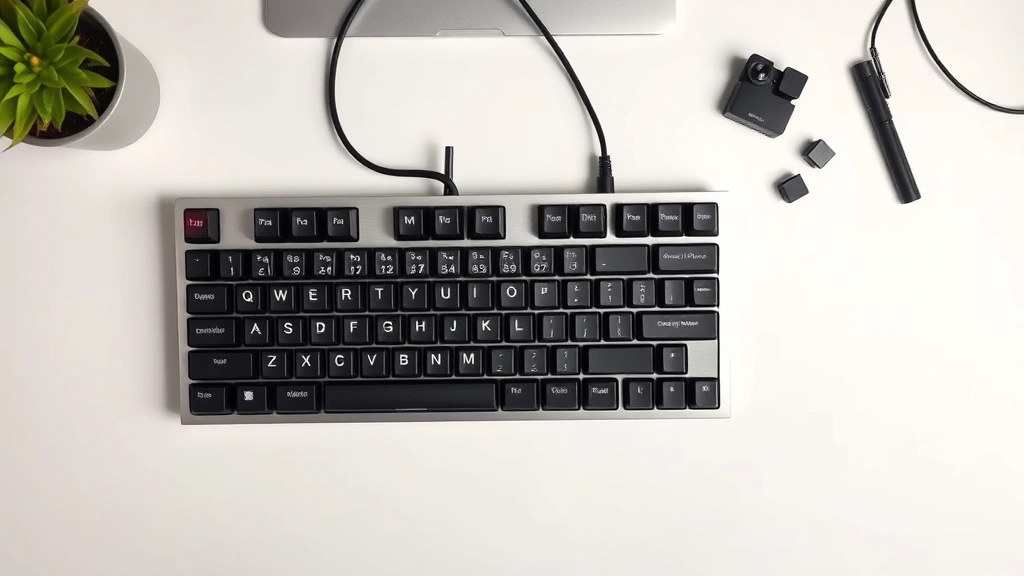
Here’s the thing about keyboard switches—they’re literally the foundation of your entire typing experience. When you press a key, it’s the switch underneath doing all the work. There are three main categories you’ll encounter: mechanical, membrane, and scissor switches. Each one has its devoted fans, and each one has legitimate reasons to exist.
Mechanical switches are the darlings of the enthusiast community, and for good reason. They use individual springs and stems that physically move to register a keystroke. This means you get tactile feedback, audible confirmation, and the ability to customize individual keys by swapping them out. Customization and programmability becomes a whole new ball game with mechanical switches—you can literally build your perfect keyboard piece by piece.
But here’s where it gets nuanced: mechanical switches come in different flavors. Linear switches (like Cherry MX Reds) offer smooth, uninterrupted travel. Tactile switches (like Cherry MX Browns) give you a little bump in the middle of the keystroke—super satisfying if you like that feedback. Clicky switches (like Cherry MX Blues) are the loud, proud cousins that make that satisfying “click” sound with every press. If you share an office or apartment, maybe don’t go full clicky unless you enjoy angry glares from coworkers.
Membrane keyboards use a rubber dome under each key that collapses when pressed. They’re quieter than most mechanical switches, cheaper to produce, and honestly? They’re fine for casual typing. The problem is that they feel mushy and offer less feedback, which can lead to typing fatigue on longer sessions. Scissor switches (found in most laptops) are a middle ground—they’re quieter than mechanical, more responsive than membrane, but you can’t customize them.
The switch quality matters enormously. Cherry MX switches are the gold standard, but there are excellent alternatives from companies like Gateron, Kailh, and Outemu that often cost less. Don’t get fooled into thinking you need the most expensive switches—sometimes the mid-range options offer the best value.
Build Quality and Materials That Actually Last
A keyboard is something you touch every single day. It needs to survive spilled coffee, accidental drops, and the general wear and tear of existence. This is where build quality becomes non-negotiable.
The case material makes a huge difference. Plastic cases are cheap and light, which isn’t inherently bad, but they can feel flimsy. Aluminum cases feel premium and last forever, but they’re heavier and more expensive. Some of the best keyboards use a combination—maybe an aluminum frame with plastic bezels to balance weight and durability. Polycarbonate is becoming popular because it’s transparent (hello, RGB light shows) and surprisingly durable.
The stabilizers—those mechanisms that keep longer keys like the spacebar level—are often overlooked but absolutely crucial. Cheap stabilizers rattle and feel mushy. Quality stabilizers from companies like Cherry or Durock make your spacebar feel as good as individual keys. This is one area where you really shouldn’t cheap out.
PCB (printed circuit board) quality matters too. A good PCB is rigid and well-engineered. A bad one flexes when you type, which makes the whole experience feel unstable. Some keyboards use gasket mounting systems or flex cuts in the PCB to absorb impact and create a more cushioned typing feel. If you’re spending serious money on a keyboard, this is worth researching.
The cable (if it’s wired) should be thick and durable. Cheap cables fray, twist, and eventually fail. A quality braided cable might seem like overkill, but it’ll outlive the keyboard itself. And if you’re going wireless, check the battery life—anything less than 30 hours between charges is pretty mediocre for a modern keyboard.
Ergonomics and Comfort for Long Sessions
If you’re typing for eight hours a day, your wrists and hands are going to have opinions. A bad keyboard can literally cause pain, carpal tunnel issues, and general misery. An ergonomic keyboard? That’s preventative medicine.
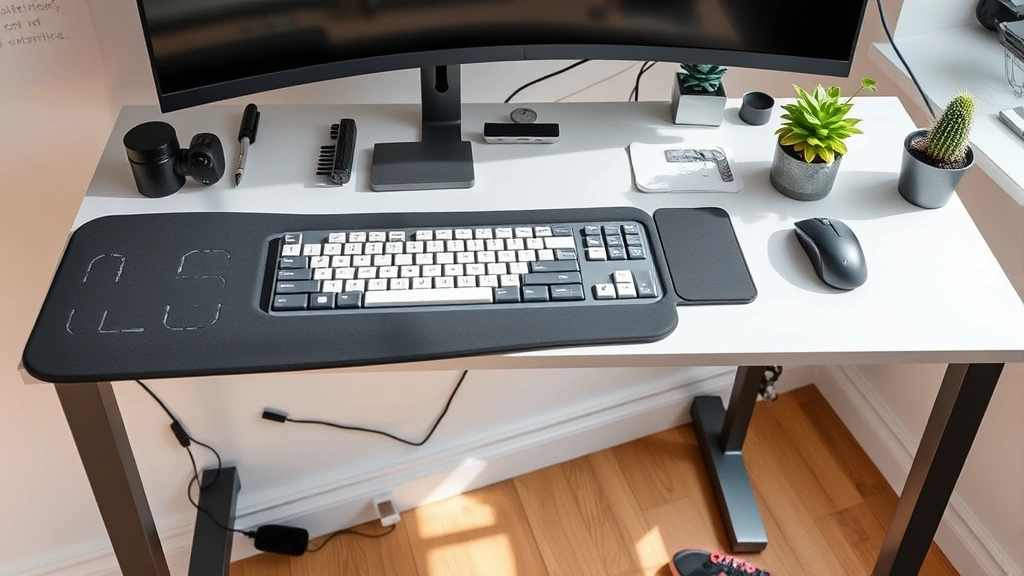
Wrist rests matter more than you’d think. A soft, cushioned rest supports your wrists and prevents them from bending at awkward angles. Some keyboards have built-in rests, others let you attach separate ones. The material matters—memory foam is comfortable but can get gross after a while, while silicone is easier to clean and surprisingly supportive.
The angle of the keyboard affects your typing posture. Traditionally, keyboards sit flat or slightly angled upward, but ergonomic wisdom suggests a slight downward angle (negative tilt) to keep your wrists more neutral. Many quality keyboards come with adjustable feet so you can experiment and find your perfect angle.
Key spacing and layout influence comfort too. Standard layouts are usually fine, but if you have large hands or small hands, this matters. Some people swear by ergonomic split keyboards that separate the keys into two groups, which can reduce strain on shoulders and arms. Ergonomic research suggests these can help, though individual results vary.
Don’t overlook keyboard height. A keyboard that’s too high or too low forces your arms and shoulders into unnatural positions. The ideal setup is with your elbows at roughly 90 degrees and your wrists relatively straight. If your current desk setup doesn’t allow this, a keyboard tray or desk riser might be a better investment than a new keyboard.
Connectivity: Wired vs. Wireless Showdown
This is one of those debates that gets people passionate, and honestly, both sides have valid points.
Wired keyboards have zero latency—the keystroke is registered instantly. They never need charging. They’re usually cheaper. If you’re a competitive gamer where milliseconds matter, wired is the traditional choice. The downside? You’ve got a cable, which limits flexibility and desk aesthetics. Cable management can become a whole thing.
Wireless keyboards offer freedom and flexibility. No cable means a cleaner desk and the ability to move your keyboard around. Modern wireless keyboards using 2.4GHz USB receivers or Bluetooth have latency so low that even competitive gamers don’t notice it anymore. Battery life on quality wireless keyboards is impressive—often 30-100 hours between charges, sometimes more.
The catch? Wireless adds cost, and you’ve got to manage battery life. Some people find the idea of their keyboard dying mid-typing session anxiety-inducing, even if it’s unlikely. Rechargeable batteries are standard now, and many keyboards charge via USB-C while you use them, so it’s rarely an actual problem.
My take: if you’re not a professional esports player, wireless is the better choice for 2024. The technology is mature, the latency isn’t real, and the freedom is genuinely nice. But if you’re on a tight budget or gaming competitively, wired is still completely legitimate. Some people also prefer the “always on” nature of wired—no thinking about batteries.
Customization and Programmability
This is where mechanical keyboards really shine. The ability to reprogram keys, create macros, and customize your keyboard to match your workflow is genuinely powerful.
Programmable keys let you reassign what each key does. If you’re a content creator, you could program a key to launch your recording software. If you’re a gamer, you could create macros for complex ability combos. If you just want your keyboard to behave differently than the default, you can make it happen.
Software quality varies wildly. Some keyboard manufacturers have excellent, intuitive software that makes customization easy. Others have clunky, bloated programs that feel like they’re from 2005. Before buying a keyboard, check reviews of the software—it’s a huge part of the experience if you actually plan to use these features.
Some keyboards use open-source firmware like QMK or VIA, which gives you incredible flexibility and a massive community of developers constantly adding features. If you’re the type to tinker and customize, this is powerful stuff. If you just want something that works, you might not care.
Remapping keys is also useful for productivity. Mac users often remap their keyboards to match Windows layouts (or vice versa), programmers create custom layouts for their coding languages, and accessibility-focused users customize keyboards to match their specific needs. It’s genuinely inclusive technology when done well.
RGB Lighting and Aesthetics
Let’s be real: RGB lighting looks cool. Whether it’s actually useful is debatable, but it definitely looks cool.
Per-key RGB (where each key has its own individually-controlled light) lets you create wild lighting effects. Some keyboards sync their lighting with games or music. You can program custom lighting profiles for different apps. It’s fun, it looks great in photos, and it makes your setup feel premium.
Here’s the honest part: if you’re not actively looking at your keyboard while typing, you won’t see most of the lighting effects. They’re more for aesthetics and showing off to friends than practical utility. That said, if aesthetics matter to you (and they matter to a lot of people—no judgment), RGB can make your desk setup look genuinely incredible.
The downside is that RGB adds cost and can drain battery life on wireless keyboards. Some keyboards let you turn it off, which is crucial if you care about battery longevity. Quality RGB implementation uses efficient LEDs and smart power management, so battery impact isn’t always severe.
If you’re not into the gaming aesthetic, plenty of excellent keyboards skip RGB entirely. Minimalist keyboards in clean colors like white, black, or brushed aluminum look more professional and often cost less. Choose based on your aesthetic preferences and where your keyboard lives—a gaming setup? Go wild. A corporate office? Maybe skip the rainbow effects.
Budget Considerations and Value
Keyboards range from $20 to $400+, and honestly? You don’t need to spend a fortune to get something great.
Under $50, you can find decent keyboards from brands like Redragon or Corsair. They won’t blow your mind, but they’re solid entry points into mechanical keyboards. Membrane keyboards in this range are fine for casual use.
$50-150 is where the value really shines. This is where you’ll find excellent mechanical keyboards from reputable brands. The Verge’s keyboard reviews consistently show that some of the best value options land in this range. Brands like Keychron, Ducky, and Varmilo offer fantastic quality without the premium pricing.
$150-300 gets you into enthusiast territory. Custom switches, high-end stabilizers, premium materials, excellent software. If you spend a lot of time typing, this investment pays dividends in comfort and longevity.
Above $300, you’re usually paying for brand prestige, limited editions, or ultra-premium materials. These keyboards are excellent, but the value-per-dollar diminishes. Unless you’re a true enthusiast or have specific needs, you’re probably better off in the $50-150 sweet spot.
Consider the total cost of ownership. A $60 keyboard that lasts five years costs $12/year. A $300 keyboard that lasts ten years costs $30/year. The math works out, but only if the expensive keyboard actually does last longer and makes you happier. Read reviews from long-term users, not just first impressions.
Pro tip: don’t underestimate refurbished or open-box keyboards from authorized retailers. You can often save 20-30% and still get a warranty. CNET’s keyboard reviews often include notes about where to find deals on specific models.
FAQ
Are mechanical keyboards really that much better than membrane keyboards?
For casual typing? Not necessarily. For anything longer than a couple hours, or if you care about feel and feedback? Absolutely yes. Mechanical switches provide better tactile feedback, last longer, and can be customized. Membrane keyboards feel mushy and fatiguing over time. But if you rarely type, membrane is fine and cheaper.
How loud is a mechanical keyboard really?
It depends entirely on the switches. Linear switches are pretty quiet. Tactile switches make a little noise. Clicky switches are genuinely loud—like, your coworkers will hear it loud. If noise is a concern, test switches in person before buying, or go with a membrane keyboard. Silent mechanical switches exist but cost more.
Can I use a gaming keyboard for work?
Absolutely. A quality mechanical keyboard is a quality mechanical keyboard, whether it’s marketed as a gaming keyboard or not. Some gaming keyboards have extra programmable keys or RGB lighting, but the core typing experience is the same. The only potential issue is noise if you go with clicky switches in a quiet office.
How often do I need to replace a keyboard?
A quality mechanical keyboard should last 5-10 years or longer. The switches are rated for 50-100 million keystrokes, which is roughly equivalent to 10-20 years of heavy use. Membrane keyboards typically last 2-5 years before feeling noticeably degraded. Proper care extends lifespan significantly.
Is wireless worth the extra cost?
For most people, yes. Modern wireless keyboards have eliminated latency concerns, and the convenience is genuinely nice. You’ll pay $10-30 more, but you get freedom and cleaner aesthetics. The only exception is if you’re a competitive gamer or on an extremely tight budget.
Should I get a keyboard with a wrist rest?
If you type for more than a few hours daily, a wrist rest is genuinely helpful. Built-in rests are convenient, but separate rests give you more flexibility to position them exactly where you need them. Memory foam is comfortable but gets dirty; silicone is easier to maintain.


