The Ultimate Guide to Gaming Laptops: Finding Your Perfect High-Performance Machine
Let’s be real—finding the right gaming laptop is like searching for a needle in a haystack, except the haystack costs anywhere from $800 to $4,000 and everyone’s shouting different opinions at you. Whether you’re a competitive esports player who needs 240fps or a casual gamer who just wants to enjoy the latest AAA titles without melting your desk, there’s a machine out there for you. The trick is knowing what actually matters versus what’s just marketing fluff wrapped in RGB lighting.
I’ve spent way too much time comparing specs, reading reviews, and yes, watching YouTube videos of people unboxing laptops with far too much enthusiasm. The good news? I’m going to cut through all that noise and help you understand what makes a gaming laptop actually worth your money. We’re talking GPU performance, CPU bottlenecks, thermal management, display quality, and all those little details that separate “pretty decent” from “wow, this thing rips.”

GPU and CPU Performance: The Heart of Gaming Power
Here’s the thing about gaming laptops—they’re basically a GPU showcase with a CPU supporting actor. That NVIDIA RTX 4090 or AMD Radeon RX 7900 XT isn’t just a fancy sticker; it’s literally what determines whether you’re playing at 4K ultra settings or watching a slideshow. But here’s where people get confused: more VRAM doesn’t always mean better performance, and last year’s flagship GPU can still demolish modern games if you’re willing to tweak settings.
The GPU market’s gotten wild lately. NVIDIA’s dominating the gaming space with their GeForce RTX 40-series cards, while AMD’s trying to catch up with their RDNA 3 architecture. What matters for you? Look at actual frame rates in games you care about, not just raw teraflops numbers (nobody talks about teraflops at parties, trust me). A laptop with an RTX 4070 will crush 1440p gaming, while an RTX 4090 is overkill unless you’re chasing 4K 144fps or planning to use it for professional work.
The CPU situation’s less dramatic but equally important. You’ve got Intel’s 13th and 14th gen Core i7/i9 processors battling AMD’s Ryzen 7 9000-series chips. Both are excellent, but here’s the real talk: CPU bottlenecking in gaming laptops is less common than you’d think. What matters more is having enough cores for streaming, content creation, or running Discord and Chrome simultaneously without your game stuttering. Six cores minimum, eight cores if you multitask like me (which is to say, constantly).
One thing I always check: TechRadar’s detailed performance benchmarks actually test real-world gaming scenarios instead of just synthetic benchmarks. You’ll see how different configs handle Cyberpunk, Starfield, and whatever else is demanding your attention. Don’t just trust the spec sheet—verify performance with actual gaming data.
Display Quality and Refresh Rates: Your Window to the Game
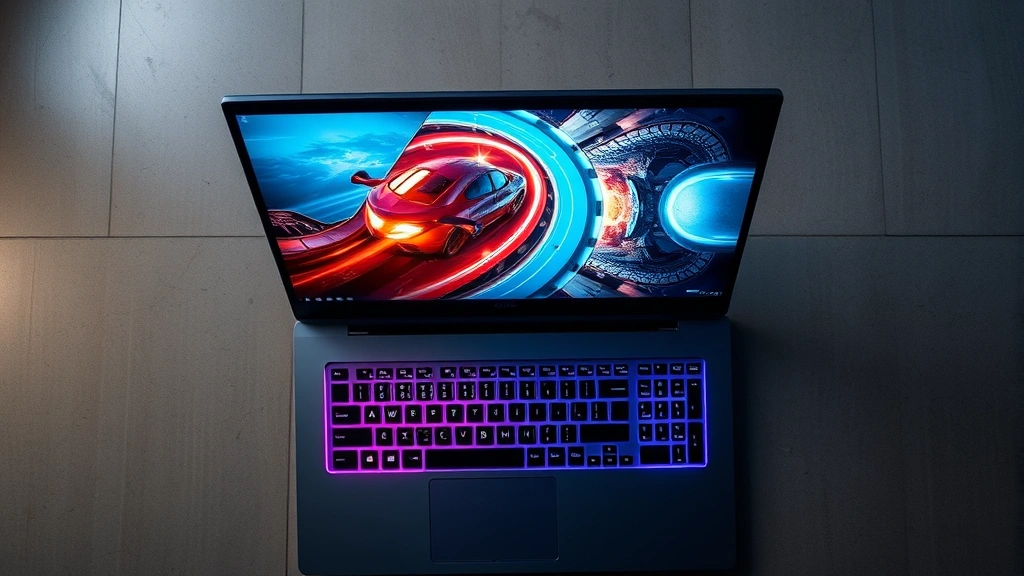
This is where gaming laptops get interesting because there’s a legitimate trade-off between resolution and refresh rate, and picking wrong ruins the whole experience. A 1440p 144Hz display is the sweet spot for most gamers—it’s sharp enough to appreciate graphics details while being smooth enough that movement feels responsive. Go higher and you’re either paying significantly more or sacrificing GPU power to drive those pixels.
Let’s talk about the specs that actually matter: refresh rate, response time, and color accuracy. Competitive players obsess over 240Hz displays because that extra smoothness genuinely helps with aim and reaction times. Casual players? 144Hz is plenty, and honestly, 120Hz looks smooth enough that the difference feels negligible once you’re immersed. Response time should be 3ms or lower—anything higher and you’ll notice ghosting when panning the camera quickly.
Panel type matters too. IPS panels give you better colors and viewing angles (important if you’re not sitting dead center), while VA panels offer better contrast. TN panels are fast but look washed out from the sides. For gaming, IPS is my pick—you get decent response times and colors that don’t look like they were processed through a potato.
Here’s something most reviews gloss over: brightness and outdoor usability. A 300-nit screen is standard, but if you’re gaming in bright rooms or traveling, you’ll want 400+ nits. Also check the color gamut—100% sRGB minimum, 100% DCI-P3 if the laptop’s marketed for creators. And yeah, refresh rate matters for gaming, but a beautiful 120Hz display beats a ugly 240Hz panel any day.
I’d also check AnandTech’s display analysis if you want the really technical breakdown. They measure actual gamma curves, color accuracy, and how screens perform under different lighting conditions. It’s nerdy, but it’s honest.
Thermal Design and Cooling Systems
You know what kills gaming laptops? Heat. Not dramatically, but the slow death of thermal throttling where your GPU drops clock speeds because it’s cooking itself. This is why thermal design is legitimately important, not just “nice to have.” A good cooling system keeps your laptop running at full performance while staying quiet enough that you’re not listening to a jet engine during cutscenes.
Modern gaming laptops use dual or triple fan setups with multiple heat pipes running to the exhaust vents. Some brands (looking at you, ASUS ROG and Razer) have gotten genuinely innovative here—vapor chambers, liquid metal thermal paste, and even secondary fans that only kick in under load. The result? Better performance and quieter operation.
But here’s the catch: more fans don’t always mean better cooling. It’s about air flow design, heat pipe quality, and how much surface area the heatsinks have. A well-designed single-fan setup beats a poorly designed triple-fan system. Check reviews that measure actual thermals under gaming loads, not just idle temperatures.
One thing to test if possible: run a game for 30 minutes and feel the keyboard and bottom panel. If it’s uncomfortably hot, that’s a red flag. Gaming laptops should get warm, sure, but not “I can’t rest my wrists on the keyboard” hot. Also listen to the fan noise—some laptops sound like they’re taking off, while others barely whisper even under full load.
Build Quality and Portability
Gaming laptops have a reputation for being tanks, and honestly? That’s mostly earned. These things are built to handle being thrown in backpacks and transported to LAN parties. But “built tough” doesn’t mean all gaming laptops are created equal. Some use aluminum chassis that feel premium and durable, while others use plastic that flexes and creaks like an old house.
Weight’s a bigger deal than you’d think. A 4.5-pound laptop feels manageable; a 6-pound brick feels like you’re carrying a small car. If you’re traveling with your gaming laptop, that weight difference matters for your shoulders and your sanity. The 14-inch form factor is getting popular for exactly this reason—you get decent performance without needing a forklift.
Port selection’s another hidden gem. USB-C with Thunderbolt 4 is becoming standard and it’s genuinely useful for external GPUs and fast data transfer. You want at least two USB-A ports (for mouse and whatever else), HDMI for presentations, and an audio jack if you’re not all-in on wireless headphones. SD card readers are nice if you’re a content creator, but honestly? Less common now.
Check the keyboard and trackpad while you’re at it. Gaming laptops often have better keyboards than their business-focused cousins because, well, we spend a lot of time typing. The trackpad doesn’t need to be amazing—you’ll use a mouse for gaming—but it should be responsive for general use.
Battery Life and Power Management
Let’s set expectations: gaming laptops are not battery beasts. You’re getting 4-7 hours of mixed use if you’re lucky, and that’s with the GPU disabled. Actual gaming? 2-3 hours max, and that’s with lower settings. This isn’t a flaw—it’s physics. Powerful hardware needs power.
But there’s a difference between “acceptable battery life” and “this thing dies if you look at it wrong.” Modern efficiency gains have helped. Intel’s 13th gen and newer, plus AMD’s latest Ryzen chips, are genuinely more efficient than previous generations. You’ll actually notice the difference in real-world use.
The charger matters too. A 140W charger is standard, but some laptops ship with 180W or even 240W chargers for faster charging. Heavier is worse for portability, but you’ll appreciate the faster charging if you’re gaming between classes or work meetings. USB-C charging is becoming more common, which is great for using a single charger for your laptop, phone, and tablet.
Pro tip: use the integrated GPU when you’re not gaming. Most modern gaming laptops let you disable the dedicated GPU for web browsing and office work, which tanks power draw and extends battery life significantly. It’s in the NVIDIA or AMD driver settings—takes 30 seconds to toggle.
Best Gaming Laptop Options by Budget
Budget’s the real decision-maker here. Let me break it down by price point because different tiers actually offer different value propositions.
$800-1200 (Entry-level gaming): You’re looking at RTX 4050 or 4060 GPUs with mid-range CPUs. These handle 1080p gaming beautifully and 1440p with settings tweaks. Great for esports titles and older AAA games. Don’t expect 4K or ultra settings in new releases.
$1200-1800 (Sweet spot): RTX 4070 or 4070 Super territory. This is where you get the best value—solid 1440p high-settings gaming, capable of 4K on optimized titles. These laptops handle gaming, streaming, and content creation without breaking a sweat or your bank account.
$1800-2500 (High-end): RTX 4080 and RTX 4090 laptops. These are for people who want maxed-out settings, high refresh rates, and future-proofing. Also great if you’re using the laptop for professional work alongside gaming.
$2500+ (Extreme): Top-tier configs with RTX 4090, high-end CPUs, and premium displays. You’re paying for overkill and brand prestige at this point. Unless you’re a streamer, pro gamer, or content creator, you’re overspending.
My honest take? The $1200-1800 range offers the best gaming experience per dollar. You’re not leaving performance on the table, but you’re not overpaying for specs you won’t use either.
Also worth checking: The Verge’s tech reviews do a solid job explaining what you’re actually getting for your money, not just listing specs.
FAQ
Should I buy a gaming laptop or a desktop?
Desktops are more powerful per dollar and easier to upgrade, but gaming laptops give you portability. If you travel, game at friends’ places, or want one machine for work and gaming, a laptop makes sense. If you’re stationary and want maximum performance, a desktop’s the move.
Is 16GB RAM enough or should I get 32GB?
16GB is fine for gaming and most creative work. 32GB is overkill for pure gaming but useful if you’re streaming, video editing, or running VMs simultaneously. Check if RAM is upgradeable—many modern laptops have soldered RAM, so get the right amount from the start.
What’s the difference between NVIDIA and AMD gaming GPUs?
NVIDIA dominates gaming with better driver support and DLSS technology. AMD’s competitive but has fewer games optimized for their hardware. For pure gaming, NVIDIA’s the safer choice. AMD’s better value if you don’t care about ray tracing.
Do gaming laptops throttle in games?
All laptops throttle somewhat under sustained load—it’s thermodynamic reality. Good gaming laptops minimize it through better cooling. You’ll see maybe 5-10% performance drops under extreme conditions, which is acceptable. If a laptop throttles more than 15%, that’s poor thermal design.
Is 144Hz necessary or is 120Hz good enough?
120Hz looks smooth and is fine for most gamers. 144Hz and higher matter if you’re competitive or very sensitive to frame rate changes. The jump from 60Hz to 120Hz is massive; 120Hz to 144Hz is subtle.
Can I upgrade storage in gaming laptops?
Usually yes, but check before buying. Most gaming laptops have one or two M.2 NVMe slots. Some are easily accessible, others require taking apart half the laptop. Ask the manufacturer or check reviews—it matters if you’re planning to add storage later.


